PROMPT CRAFT · July 2, 2026 · 5 MIN READ
이미지 프롬프팅: 구도 우선, 디테일은 그다음
주제, 프레이밍, 렌즈, 빛, 재료 신호를 이미지 모델이 실제로 사용할 수 있는 순서로 사용하세요.
이미지 프롬프트는 프레임을 장식하기 전에 먼저 설정할 때 가장 잘 작동합니다. 모델은 "삼분의 일 구도 초상화, 오른쪽 1/3에 주제, 강한 측면광"을 시각적 제약 조건 세트로 사용할 수 있습니다. 프롬프트가 시적으로 들리는지는 덜 중요합니다.
COPYABLE PROMPT, GENERATED OUTPUT
PROMPT
Editorial portrait of a ceramicist in a cobalt-blue studio,
three-quarter profile positioned on the right third of a vertical frame,
negative space to the left, 85mm portrait lens, eyes in sharp focus,
hard window light from camera left, deep but readable shadows,
subtle clay dust in the air, tactile matte surfaces, restrained film color.
OUTPUT — GENERATED WITH MANIFOLDGEN
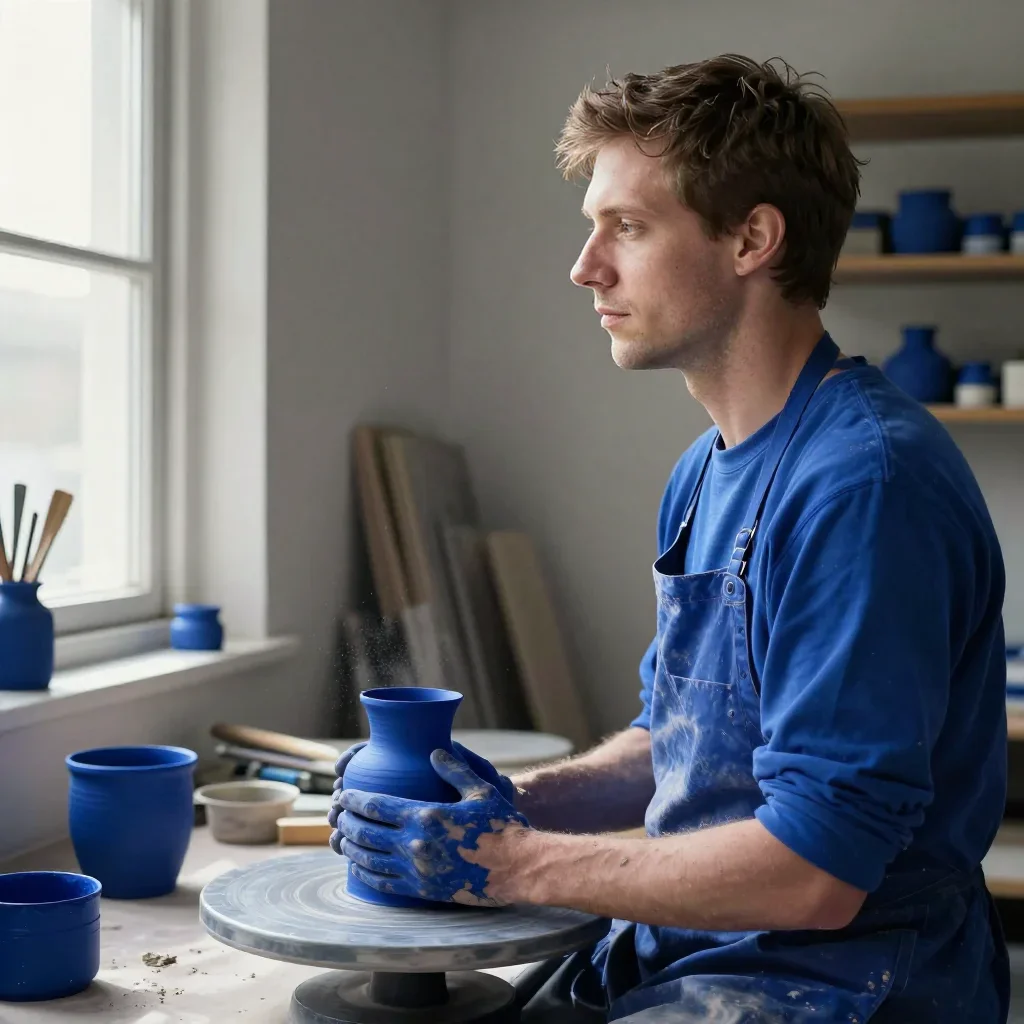
큰 것에서 작은 것으로 구축
- 주제와 동작: 시청자가 무엇을 보고 있나요?
- 구도: 인물, 와이드, 중앙, 네거티브 스페이스, 전경/배경.
- 광학: 렌즈 느낌, 피사계 심도, 초점 평면, 카메라 높이.
- 빛과 재료: 방향, 부드러움, 반사, 표면 특성.
- 마무리: 색 보정 또는 매체, 최종 조정으로 사용.
복사 가능한 프롬프트
Editorial portrait of a ceramicist in a cobalt-blue studio,
three-quarter profile positioned on the right third of a vertical frame,
negative space to the left, 85mm portrait lens, eyes in sharp focus,
hard window light from camera left, deep but readable shadows,
subtle clay dust in the air, tactile matte surfaces, restrained film color.
배치의 경우 프레이밍, 빛 방향 또는 재료 등 한 번에 하나의 변수만 변경하세요. 그러면 출력이 무언가를 가르쳐 줍니다. 모든 변형이 주제, 렌즈, 분위기, 색을 동시에 바꾸면 어떤 지시가 도움이 되었는지 알 수 없습니다.
참조는 제약 조건
참조가 기여하는 바를 명시하세요: 팔레트, 실루엣, 재료 또는 구도. 모델이 참조의 용도를 추측하게 하지 마세요.
네거티브는 메스
텍스트, 워터마크 또는 여분의 손가락과 같은 알려진 실패 모드에 대해 짧은 네거티브 목록을 사용하세요. 프롬프트와 경쟁하는 두 번째 에세이를 쓰지 마세요.
Try these prompts on your own shot.
Every example on this page was generated with ManifoldGen. Open the Studio and run the same structure on your idea.